Channels: Google, Meta, TikTok, Snapchat
The channels MartechFlow exports to, how their required fields and image rules differ, and how one catalog becomes channel-correct feeds for each.
One catalog, channel-correct feeds
You map your product data once into MartechFlow's canonical fields. From that single source, MartechFlow builds a separate, channel-correct feed for each channel you publish to. Each feed uses that channel's required fields, its value formats, and its image rules, so you do not hand-tailor a spreadsheet per channel.
The supported channels are Google Shopping, Meta, TikTok, and Snapchat. (Microsoft Advertising and Pinterest are also available and follow the same model.) Each channel is a base export you create on a feed; one feed can publish to several channels at once.
Required fields differ by channel
Channels fall into two families with different requirements. Google Shopping (the Google-style family) requires id, title, description, link, image link, availability, and price; brand, condition, GTIN, MPN, and Google product category are recommended.
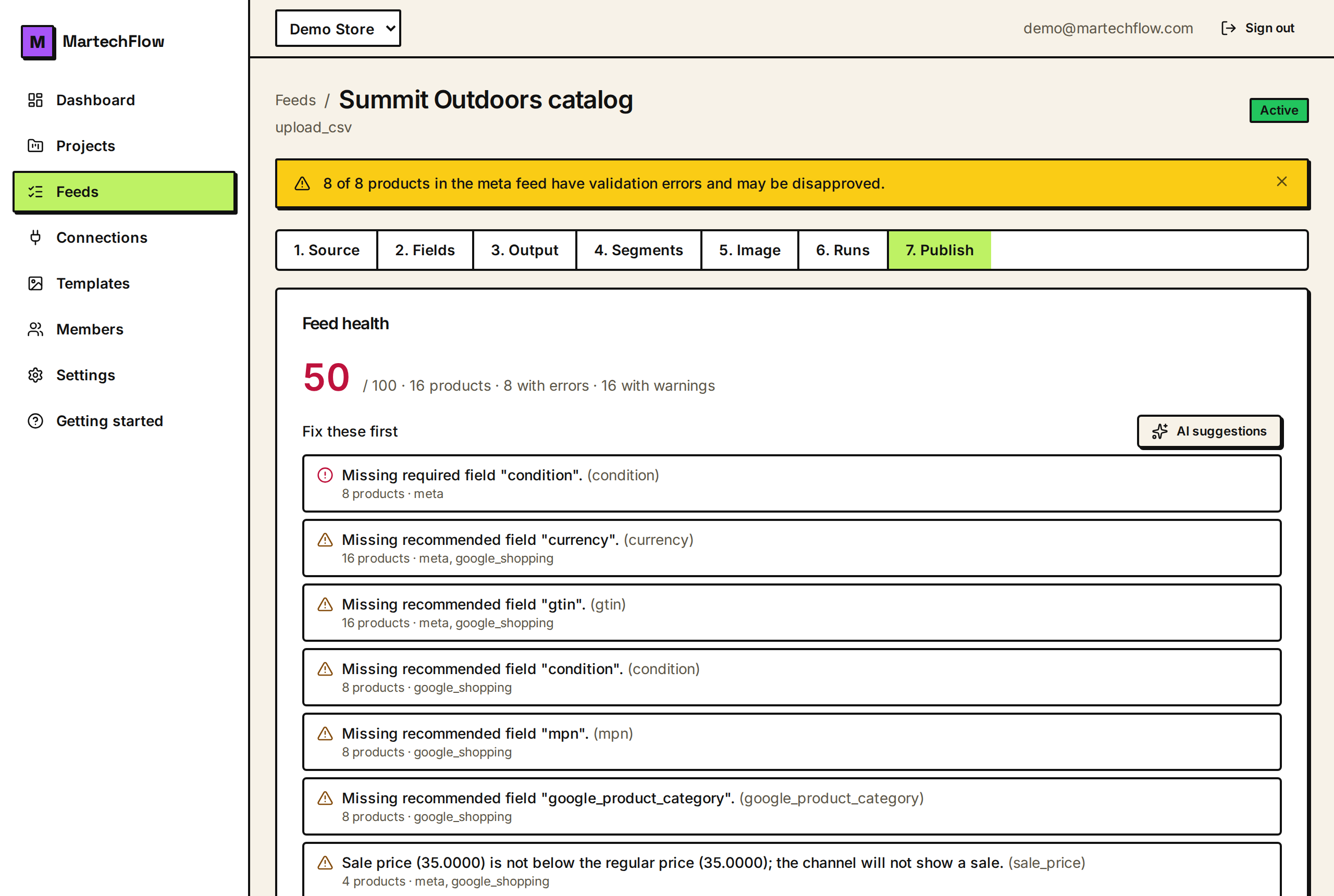
Meta, TikTok, and Snapchat (the Meta-style family) require the same core fields and additionally require brand and condition on every product. That is the most common reason a catalog is fully valid on Google but has errors on Meta, TikTok, or Snapchat.
MartechFlow validates each product against the right channel's requirements automatically, so the health score and fix queue already reflect these differences.
- Google Shopping: id, title, description, link, image link, availability, price required.
- Meta / TikTok / Snapchat: the same core plus brand and condition required.
- Recommended fields (like GTIN, MPN, category) raise warnings, not errors.
Value formatting is handled for you
The same canonical value is formatted to each channel's expectations at export time. Availability is the clearest example: MartechFlow stores it in Google's vocabulary (in_stock, out_of_stock, preorder, backorder) and automatically rewrites it to Meta's spaced form ("in stock", "out of stock", "preorder", "available for order") on Meta, TikTok, and Snapchat feeds.
Prices are formatted with two decimals and a currency code. Empty fields are simply omitted from the output rather than written as blanks. You set values once in canonical form and each channel feed renders them correctly.
Image rules protect against disapproval
Image overlays (like a sale badge burned into the image) are allowed on some channels and not others, and MartechFlow enforces this for you. Meta, TikTok, Snapchat, and Pinterest accept badged or framed product images, so their feeds get the overlay variant when you have one.
Google Shopping and Microsoft Advertising disapprove promotional overlays on the feed image, so their feeds always get the clean original image. This is both a creative advantage on social channels and a safety net that keeps your Google feed from being disapproved for promotional images.
To show discounts on Google instead of a badge, use sale price and the sale price effective date, which let the channel render its own native sale display.
Creating a channel feed
Each channel feed is created on a feed by choosing a channel and a format (CSV or XML). The moment you create it, MartechFlow builds it and gives you a stable public URL the channel pulls from. You can have one feed per channel and format, and you can filter what goes into it (for example, exclude out-of-stock products or limit to a product set).
- 1Open your feed and go to the export / output area.
- 2Choose a channel (Google Shopping, Meta, TikTok, or Snapchat) and a format (CSV or XML).
- 3Optionally set filters (exclude out of stock, include/exclude a product set).
- 4Create it; MartechFlow builds the feed and gives you its public URL.
- 5Paste that URL into the channel's account so the channel pulls it.