Safe-publish and diff before publish
MartechFlow never overwrites a healthy feed with a broken one. How the safe-publish guard works, when a build is held, and how to read the diff.
Why safe-publish exists
A bad data refresh or a broken mapping can produce a feed with zero products, half your catalog missing, or every product failing validation. If that feed went straight to your channels, you could lose ad coverage or get items disapproved at scale. Safe-publish prevents that: it never overwrites a known-good feed with a broken one.
When a new build looks dangerous, MartechFlow holds it. The new file is still saved and inspectable, but it is not promoted. The channels keep pulling the last good version until you fix the problem and rebuild.
When a build is held
MartechFlow checks each new build against the last good one and against the channel's structural rules. It holds the build, rather than publishing it, in any of these cases:
- The new build has 0 products but the live feed had products.
- The new build collapsed: it dropped to less than half the live feed's product count (when the live feed had at least 10 products).
- A customized output is missing a required channel column, so the structure is broken.
- Every product failed validation on a customized output (no valid products to publish).
- The output references newly added source columns that the latest data refresh has not captured yet (it self-heals after the next refresh).
- A market export is set up but the feed's base currency is not, so prices were not actually converted.
What happens when a build is held
The channel feed card shows an "Update held" notice with the exact reason, for example "New build dropped to 40 products from 1,000 (more than 50% loss)." It also reassures you that the last good version is still being served so your channel feed stays healthy.
MartechFlow raises a critical alert at the same time, so a hold does not pass silently. The held candidate is kept, so you can open Diagnostics and inspect exactly what it would have published. Once you fix the cause and rebuild successfully, the hold clears and the new build is promoted.
If there was no previous good version (a brand-new feed's very first build is broken), there is nothing safe to fall back to, so the feed is marked as in error instead of serving a bad file.
The diff before publish
Every build is compared against the count it is guarding (the live feed's product count, the last known good). The Diagnostics view surfaces this as a diff: the latest build's product count, the previous count, and the change between them.
A negative diff is highlighted so a drop stands out. This is your early-warning signal: even when a build is published (a smaller drop that did not trip the hold), a drop in product count gets surfaced so you can investigate whether it was expected (a real catalog change) or a problem (a partial ingest).
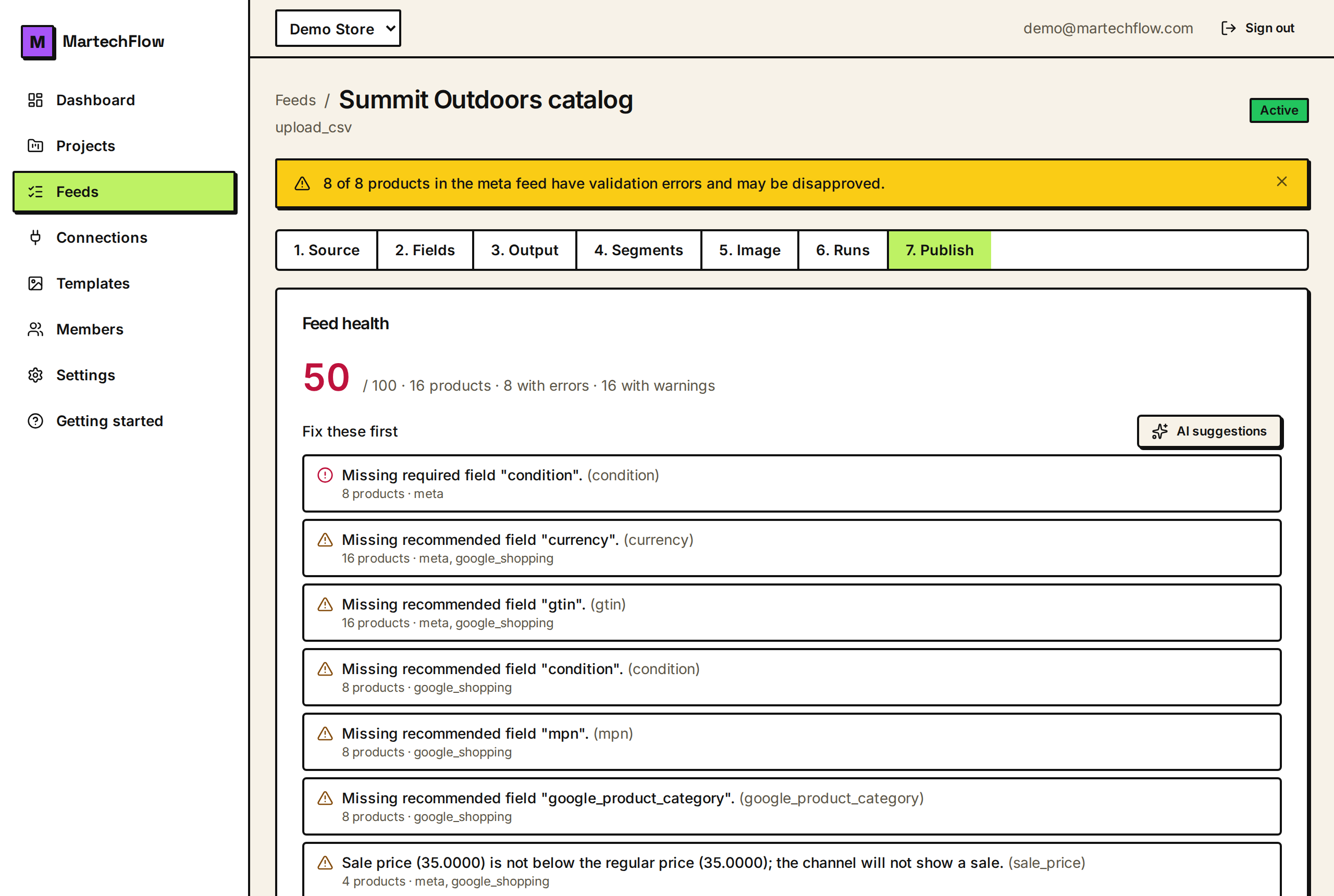
Two softer signals accompany a published build: a warning if the count merely dropped (without collapsing), and a warning if a high share of products (a quarter or more) have validation errors and may be disapproved.
Recovering from a hold
A hold is a prompt, not a dead end. Read the reason on the feed card, fix the underlying cause (usually upstream in the source, mapping, or rules), and rebuild.
- 1Read the "Update held" reason on the channel feed card.
- 2If it is a count collapse, check your source feed or last ingest for missing data.
- 3If it is a missing required column, restore that column in your output schema.
- 4If it is a pending data refresh, wait for the next run; the build self-heals and re-publishes.
- 5If it is a market currency issue, set the feed's base currency.
- 6Rebuild the feed; on a clean build the hold clears and the new feed is promoted.