See Google Merchant Center disapprovals
Connect Google Merchant Center to read Google's real product disapprovals next to MartechFlow's predicted issues, so you fix what Google actually rejects.
Predicted issues versus Google's real verdicts
MartechFlow validates your products against the channel rules before you publish, which catches most problems early. But Google Merchant Center can still disapprove items for reasons only Google can see, like policy checks or landing-page crawls. Connecting Merchant Center lets you read Google's actual verdicts right next to our predicted issues.
This closes the loop: our checks tell you what is likely to fail; Google's data tells you what did fail, and why, in Google's own words.
Connecting Merchant Center
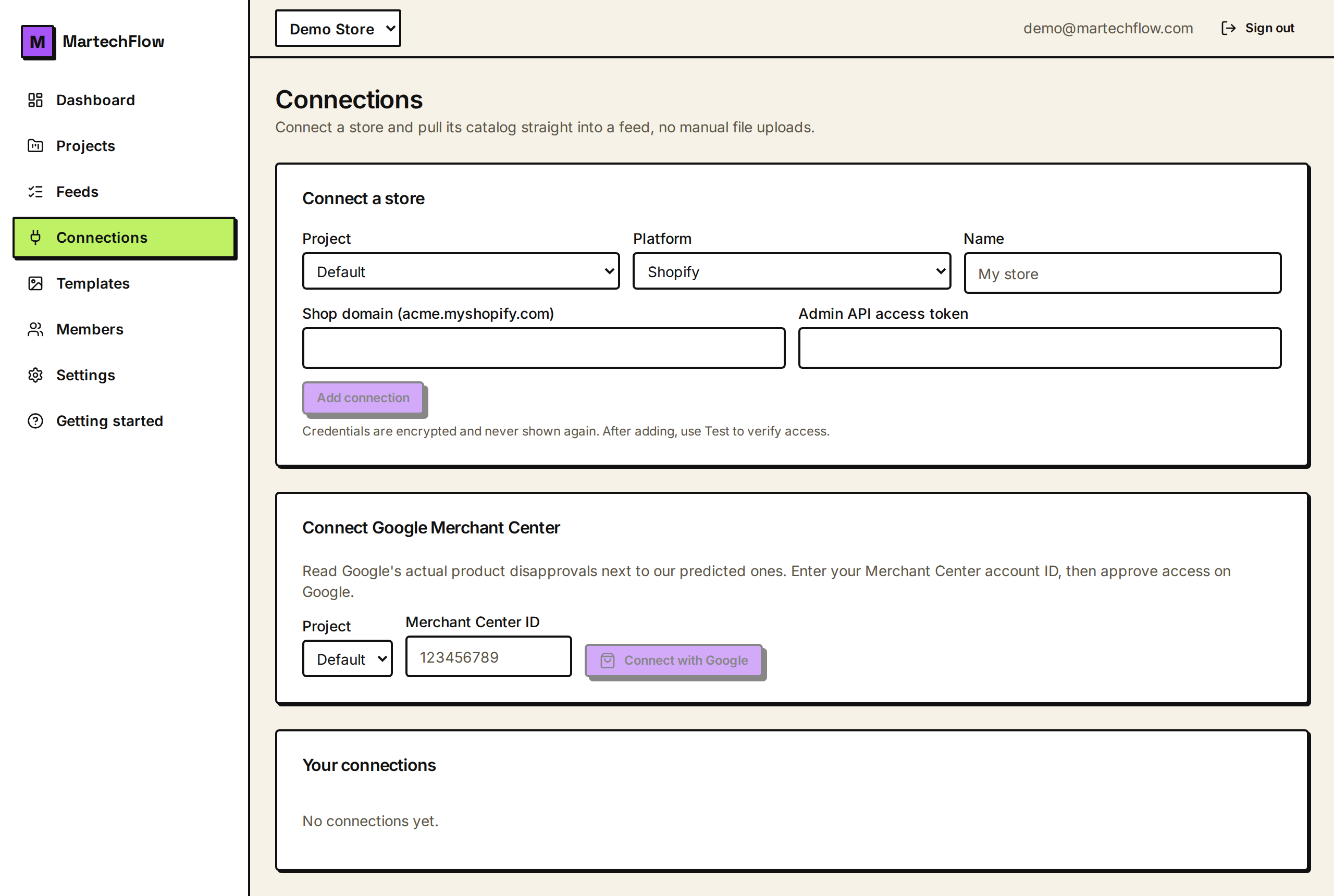
You connect Merchant Center once, per project, on the Connections page using Google's OAuth flow. It is read-only: MartechFlow only reads your product statuses and their issues; it never changes your Merchant Center account.
After connecting, use the Sync button to pull the current product issues. Syncing reads every product's status and stores only the products that have issues, so it stays fast and bounded even for large catalogs. Each sync replaces the previous snapshot, so what you see is always the latest pull.
- 1Go to the Connections page in your project.
- 2Open "Connect Google Merchant Center" and enter your Merchant Center account ID.
- 3Complete the Google sign-in (OAuth) to authorize read access.
- 4Click Sync to pull product disapprovals.
- 5Open a feed's Diagnostics to see Google's verdicts next to the predicted issues.
What the sync brings back
The sync matches Google's data to your products by offer id, which is your product key (SKU). For the feed you are viewing, the diagnostics show whether Merchant Center is connected, when it last synced, how many of the feed's products have issues, how many are disapproved, and the most common issue codes.
Disapproved means Google will not show the product. Other severities (such as demoted) mean the product still shows but with reduced reach. The top issue codes tell you which problems are most widespread, so you know what to fix first.
- Connected state and the last sync time.
- Count of the feed's products that have any Google issue.
- Count of products Google has disapproved.
- The most common Google issue codes across the feed (top 10).
Acting on Google's disapprovals
Treat Google's top issue codes the same way you treat the fix queue: start with the most common, fix it upstream in your mappings or rules, then rebuild. Because Google matches by your SKU, the per-product diagnostics and Google's verdicts line up on the same products, so you can cross-reference a flagged SKU in both places.
After you fix and rebuild, the channel re-pulls your feed on its own schedule and Google re-evaluates. Re-sync Merchant Center later to confirm the disapprovals cleared.
If you have not connected Merchant Center
Merchant Center is optional. If it is not connected, MartechFlow still validates every product and gives you the health score, fix queue, and per-product diagnostics from our own checks. Connecting it just adds Google's real-world verdicts on top.
The connector is off by omission: it only works when Google access is configured on your instance. If the connect option is unavailable, ask your administrator to enable the Google integration.