Per-product diagnostics
Drill from a feed-wide issue down to the individual products and the exact reason each one fails, with a plain-language fix hint for every problem.
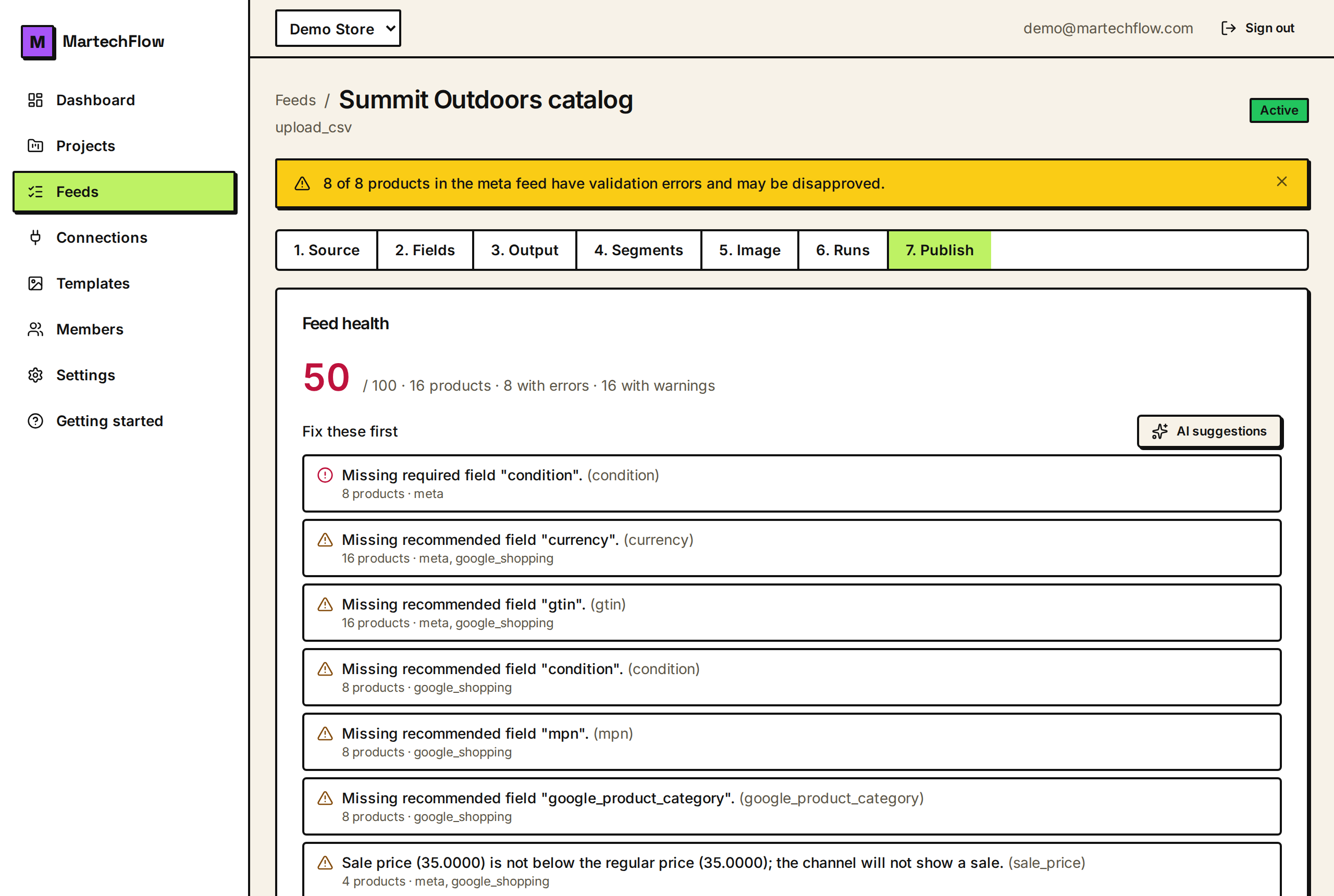
From summary to the actual products
The health score and fix queue tell you what is wrong across the catalog. Per-product diagnostics tell you which products are wrong and exactly why, one product at a time. You open them per channel feed from the export's Diagnostics view.
On each channel feed card, click Diagnostics. MartechFlow shows the "what happened and why" for that feed: when the channel last pulled it, the product-count change versus the previous build, and a list of individual products with their specific issue and a fix hint.
What each diagnostic line shows
Each line names the product by its key (your SKU / product id), the severity (a red dot for an error, amber for a warning), and the plain-language reason. Below it, when available, is a "Fix:" hint that tells you exactly what to do.
The reasons are written to be self-serviceable. Instead of a cryptic code you get sentences like "Missing required field title" or "Sale price (30) is not below the regular price (25); the channel will not show a sale," each paired with a hint such as "Map your product title; keep it under ~150 characters."
- Product key (your SKU) so you can find the product in your source.
- Severity: error (will be rejected) or warning (allowed but worth fixing).
- A plain-language reason for that specific product.
- A "Fix:" hint describing the concrete action.
What gets checked per product
Each product is validated against the channel's rules as the feed builds. The checks cover required and recommended fields, value formats, and cross-field sanity:
- Required fields present (errors) and recommended fields present (warnings), per channel.
- Enum fields use allowed values: availability must be in_stock, out_of_stock, preorder, or backorder; condition must be new, refurbished, or used.
- Price is a number greater than 0.
- Sale price is a positive number and is below the regular price (a sale price at or above price is a warning, since no sale will show).
- Identifier sanity: a product with no GTIN, MPN, or brand should set identifier_exists to no (the handmade / custom case), otherwise it gets a warning.
Sampling and the full picture
The per-product list in Diagnostics is a sample (up to 50 issues from the latest build), so it shows you representative examples without overwhelming the page. The full breakdown of how many products each issue affects lives in the health score and fix queue, which count every product.
Use them together: the fix queue tells you the issue that affects the most products; the per-product list shows you real examples of that issue so you can see the pattern and confirm your fix.
If the sampled products have no issues, the panel says so directly, which means the build that produced the sample was clean.
Fixing a flagged product
Because every value in the output comes from your mappings and rules, you fix a product by fixing what feeds it. Look up the product by its key in your source, then correct the field the diagnostic names.
- 1Open the channel feed's Diagnostics and find a flagged product.
- 2Read the reason and the Fix hint; note the field name.
- 3Locate that product in your source data using the product key.
- 4Fix the field at the source, or add a mapping / transform rule that fills or corrects it.
- 5Rebuild the feed and re-open Diagnostics to confirm the product is now valid.