Add UTM parameters to your links
Tag your product links with UTM tracking parameters, using fixed values or values pulled from your feed, with safe, clean URLs.
What UTM tagging does
UTM parameters are the little tracking tags on the end of a URL, like utm_source=google and utm_medium=cpc. They let your analytics tell which channel and campaign sent each visitor.
MartechFlow adds them with the "Add UTM tags" transform on your Link field. It appends or updates the parameters on each product's URL automatically, so you never hand-edit thousands of links.
Add the UTM transform
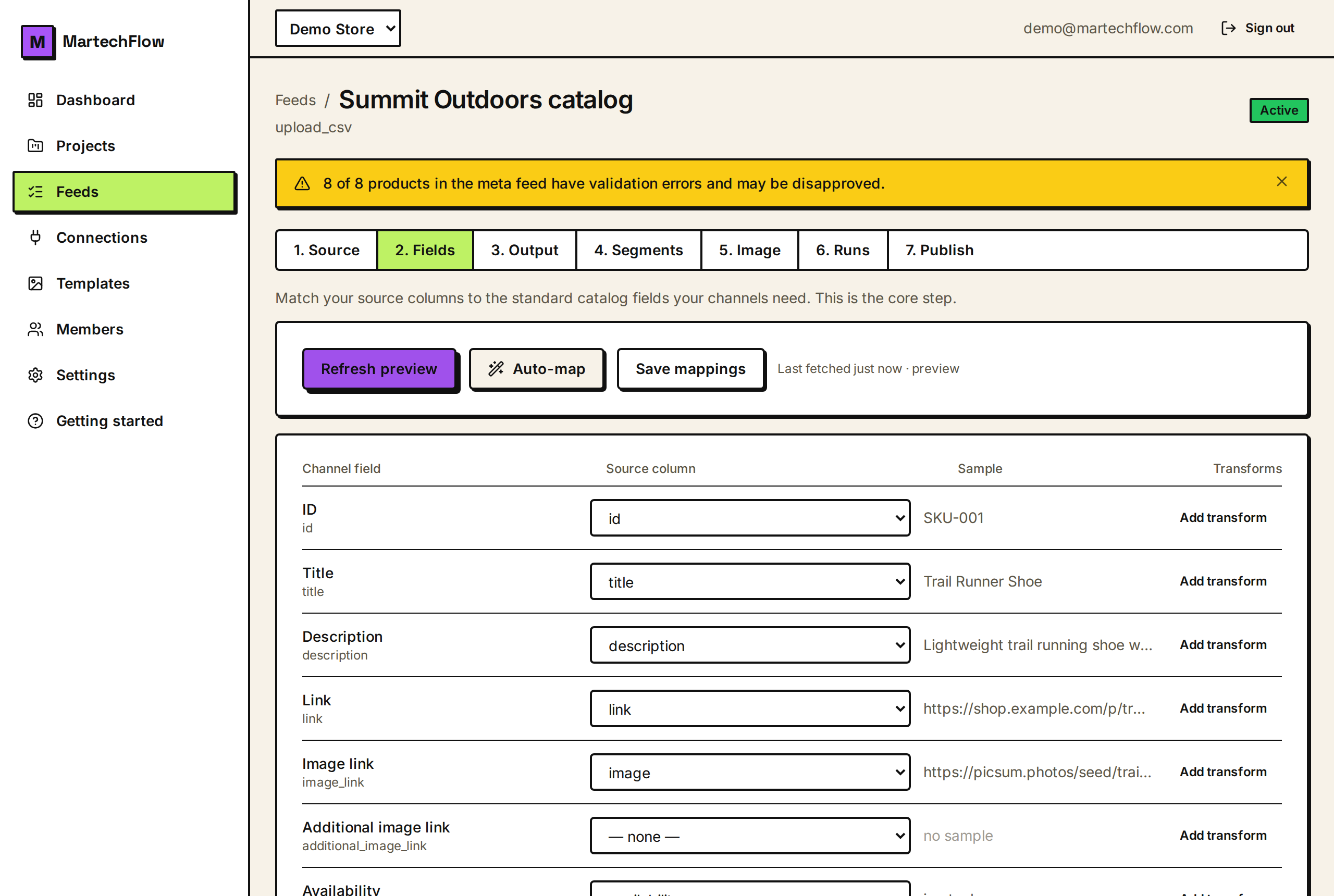
Go to the Fields tab, make sure Link is mapped to your product URL column, then add a transform to it and choose "Add UTM tags". You will get a single text box where you write your parameters as a query string.
Type them in the same key=value form a URL uses, joined with &. For example: utm_source=google&utm_medium=cpc&utm_campaign=spring_sale.
- 1On the Fields tab, confirm Link is mapped.
- 2Click "Add transform" under Link, then select "Add UTM tags".
- 3Type your parameters, for example utm_source=google&utm_medium=cpc&utm_campaign=spring.
- 4Save mappings.
Fixed values vs values from your feed
Most parameters are fixed text you type once, like utm_source=google. But you can also pull a value from one of your columns by wrapping a column name in curly braces.
For example utm_campaign={campaign} uses each product's value from a column named campaign, so different products can carry different campaign tags from a single rule.
- Fixed: utm_source=google sets the same value on every link.
- From a column: utm_campaign={campaign} uses each product's campaign column.
- Mix freely: utm_source=meta&utm_medium=paid&utm_content={sku}.
How the URLs come out clean
The transform is built to produce tidy, valid links so channels accept them.
It only tags real, complete web addresses. If a Link value is not a full http or https URL, it is left untouched rather than mangled. So tag the Link after you have made it absolute (for example after a "Prepend text" transform that adds your domain).
- It updates an existing parameter instead of adding a duplicate, so you never get utm_source twice.
- If a parameter's value resolves to empty (for example a blank column), that parameter is skipped, so you do not get noise like utm_content= with nothing after it.
- It keeps any #anchor on the URL and safely encodes values.
- A relative or invalid Link is passed through unchanged.