Static values and built-from-pieces templates
Set a fixed value for every product, or build a column from a template that mixes text and {field} tokens, like a custom landing URL.
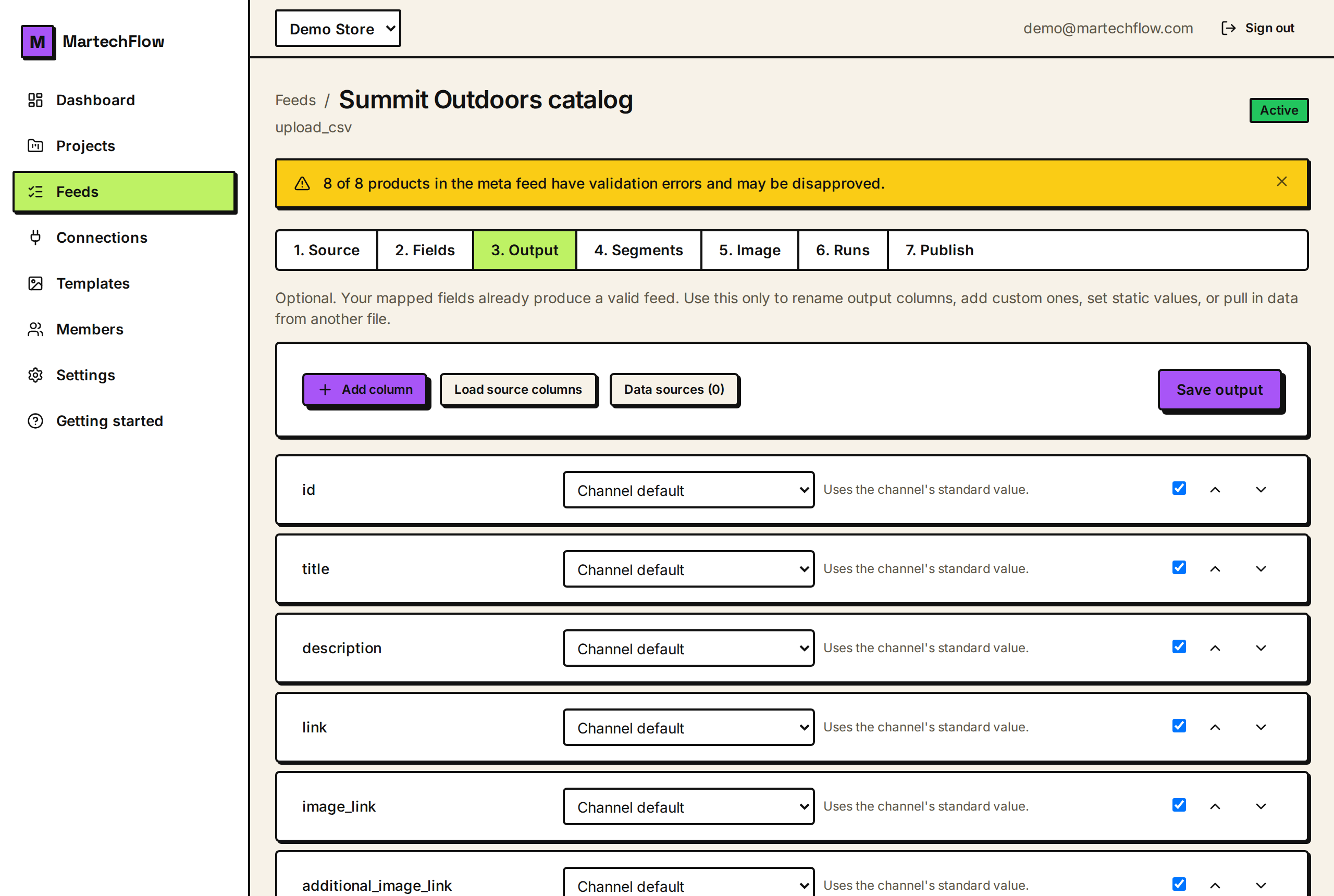
Static text: one value for every product
Choose "Static text" mode on a column to type a single value that is the same for every product. It is the simplest way to fill a column.
Use it for things that do not vary by product: a flat shipping label, a fixed brand for a single-brand store, a constant ad group label, or a custom label like "Bestseller" applied to a whole feed.
- 1On the Output tab, add or pick a column.
- 2Set its mode to "Static text".
- 3Type the value, for example "Free shipping".
- 4Save output.
Build from pieces: templates
Choose "Build from pieces" to write a template that combines fixed text with values from your data. Wrap any field or source column name in curly braces and it is replaced per product.
For example the template https://shop.com/p/{id}?c={Campaign} produces a unique link for each product, inserting that product's id and its Campaign column. Plain text outside the braces is kept exactly as written.
- {id} inserts the product id.
- {title} inserts the title, {brand} the brand, and so on for any mapped field.
- {Campaign} inserts a source column named Campaign if you loaded source columns.
- Text outside braces, like https://shop.com/p/ and ?c=, is written as-is.
How tokens resolve
When you type {name}, MartechFlow decides where it comes from automatically. If the name matches one of the standard catalog fields, it pulls your mapped value for that field. Otherwise it treats it as a source column of that name.
To use a source column that you did not map, click "Load source columns" on the Output tab first so MartechFlow knows the name exists. If a token's value is empty for a product, it simply contributes nothing to that product's result.
Common template examples
Templates are the go-to tool whenever one column needs to combine several inputs.
- Combine brand and title: {brand} {title} gives "Acme Summer Dress".
- Custom tracking link: {link}?utm_source=google&utm_campaign={Campaign}.
- Build a landing URL from an id: https://shop.com/p/{id}.
- Add a fixed suffix to a value: {title} | Official Store.