Schedule feed refreshes
Set how often MartechFlow re-pulls your source feed and rebuilds your channel exports, using a simple preset or a custom cron schedule.
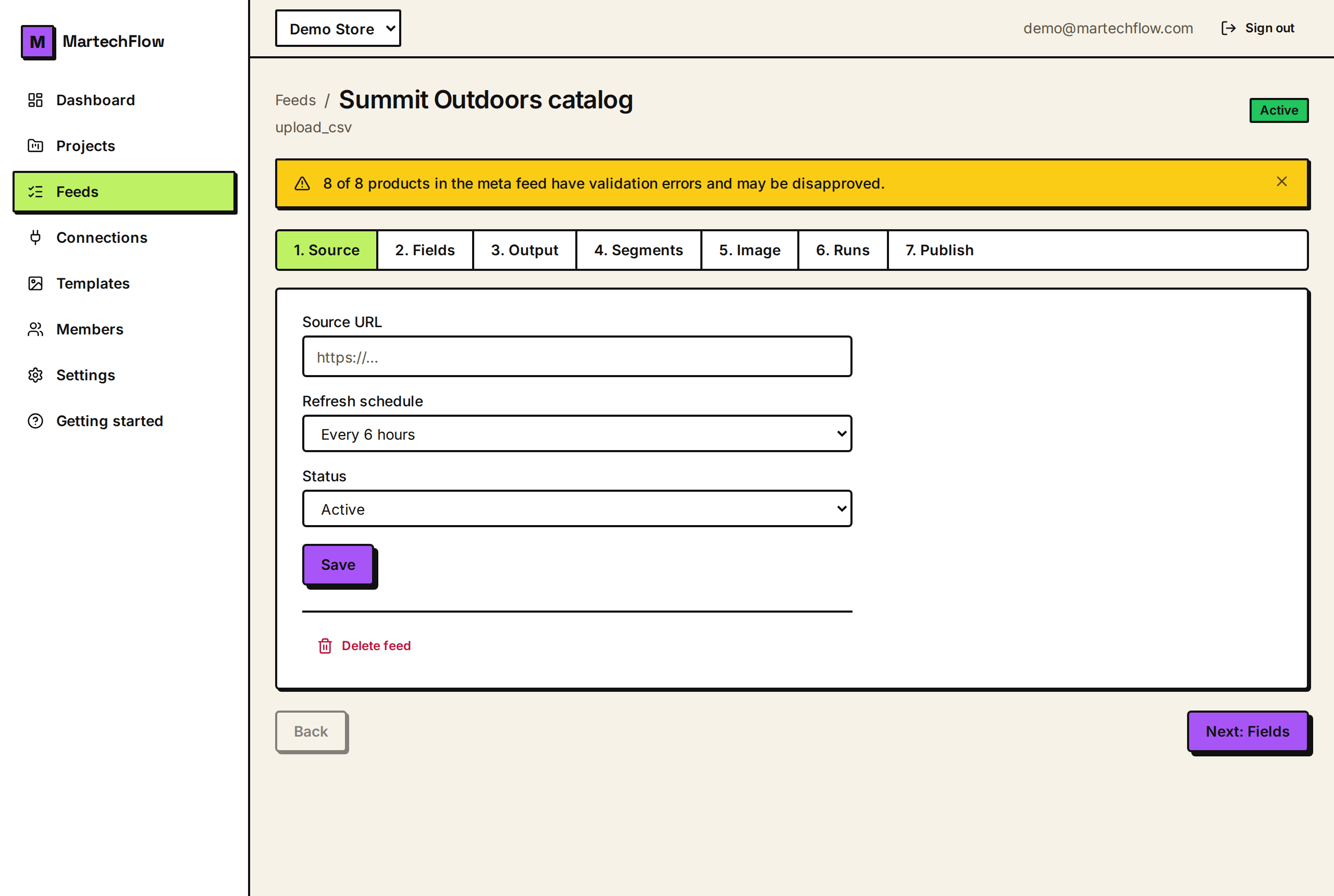
What a refresh actually does
A refresh is one full pass over your feed. MartechFlow fetches your source (a live URL, a Google Sheets CSV link, or a connector), reads and maps the rows into your product catalog, re-renders any image templates, and rebuilds your channel exports so the public pull URLs serve fresh data.
A schedule tells MartechFlow to run that pass automatically on a repeating clock. Without a schedule, a feed only refreshes when you trigger it by hand or through the API. Scheduling is how you keep prices, stock, and sale badges current without logging in.
Pick a schedule preset
Every feed has a Refresh schedule setting in the feed's Source step. The presets cover the common cases, so most people never touch a cron expression.
- 1Open the feed and go to the Source step.
- 2Find the Refresh schedule dropdown.
- 3Choose one of the presets: Manual only, Every hour, Every 6 hours, Every 12 hours, or Daily (midnight).
- 4Make sure the feed Status is set to Active (a paused or draft feed does not run on its schedule).
- 5Click Save.
- Manual only: no automatic runs. The feed refreshes only when you click run or call the API.
- Every hour: runs at the top of each hour.
- Every 6 hours / Every 12 hours: runs every 6 or 12 hours.
- Daily (midnight): runs once a day at 00:00 UTC.
Use a custom schedule (cron)
If a preset does not fit, you can enter a standard 5-field cron expression (minute, hour, day-of-month, month, day-of-week). MartechFlow validates it before saving, so an invalid expression is rejected with a clear message.
When your saved schedule does not match any preset, the dropdown shows a 'Custom' option with your expression so you can see exactly what is set. All schedule times are interpreted in UTC.
- 0 */2 * * * runs every 2 hours.
- 30 6 * * * runs daily at 06:30 UTC.
- 0 9 * * 1 runs every Monday at 09:00 UTC.
- Leave the field empty (or pick Manual only) to remove the schedule entirely.
How scheduling runs behind the scenes
Schedules are registered as repeatable jobs. When the worker process starts, it registers a repeatable job for every active feed that has a schedule set, so your schedules survive restarts and re-registering is safe (jobs are de-duplicated by the feed, never doubled up).
Refreshes run on a shared worker pool, a few feeds at a time. A single feed never runs twice at once for the same scheduled tick.
Changing the schedule, pausing the feed, or setting it back to Active takes effect on the next save. A paused or draft feed is skipped entirely until it is Active again.
Interval drift (read this if exact timing matters)
Schedules are best understood as 'about this often', not a strict alarm clock. The next run is enqueued when the previous one begins processing, so a long-running refresh can push the following run slightly later than the exact cron minute. Over a busy day this can drift by a few minutes.
This is fine for hourly and daily catalog updates, which is the normal case. It is not a strict-cron SLA, so do not rely on a refresh landing at an exact second. If a run is missed (for example the worker was down at the scheduled minute), the schedule does not backfill the missed run; it simply runs at the next scheduled time.