Connect your store (Shopify, BigCommerce)
Pull your catalog straight from Shopify, WooCommerce, or BigCommerce through the platform's own API. No feed URL, no exports, and credentials are encrypted at rest.
What a store connection does
A store connection lets MartechFlow read your products directly from your ecommerce platform using its own API. There is no feed file to publish and no URL that can get blocked. You add the connection once, then point a feed at it, and MartechFlow pulls the full catalog whenever the feed runs.
MartechFlow supports Shopify, WooCommerce, and BigCommerce as direct store connections. Each one reads every product (and each of its variants) into the same product rows that mappings and exports work on, so the rest of your feed setup is identical no matter which platform you connect.
How each platform connects
Every platform needs a credential you generate in your store's admin. MartechFlow only ever talks to your real store host, encrypts the credential, and never carries it across a redirect.
- Shopify: enter your shop domain (the acme.myshopify.com address) and an Admin API access token from a custom app. MartechFlow reads one row per product variant, links variants of the same product together, uses the compare-at price as the original price when an item is on sale, and derives availability from your inventory settings.
- WooCommerce: enter your store URL plus a REST API consumer key and consumer secret. The store URL must use https, because the key and secret travel as authentication and must never be sent in the clear. MartechFlow reads each product, including its regular and sale prices and stock status.
- BigCommerce: enter your store hash and an API access token, and optionally your storefront URL so product links resolve to full web addresses. MartechFlow reads one row per variant, with stock taken from whichever level your store actually tracks.
Add a connection
Connections live on the Connections page and belong to a project, so they stay isolated per project.
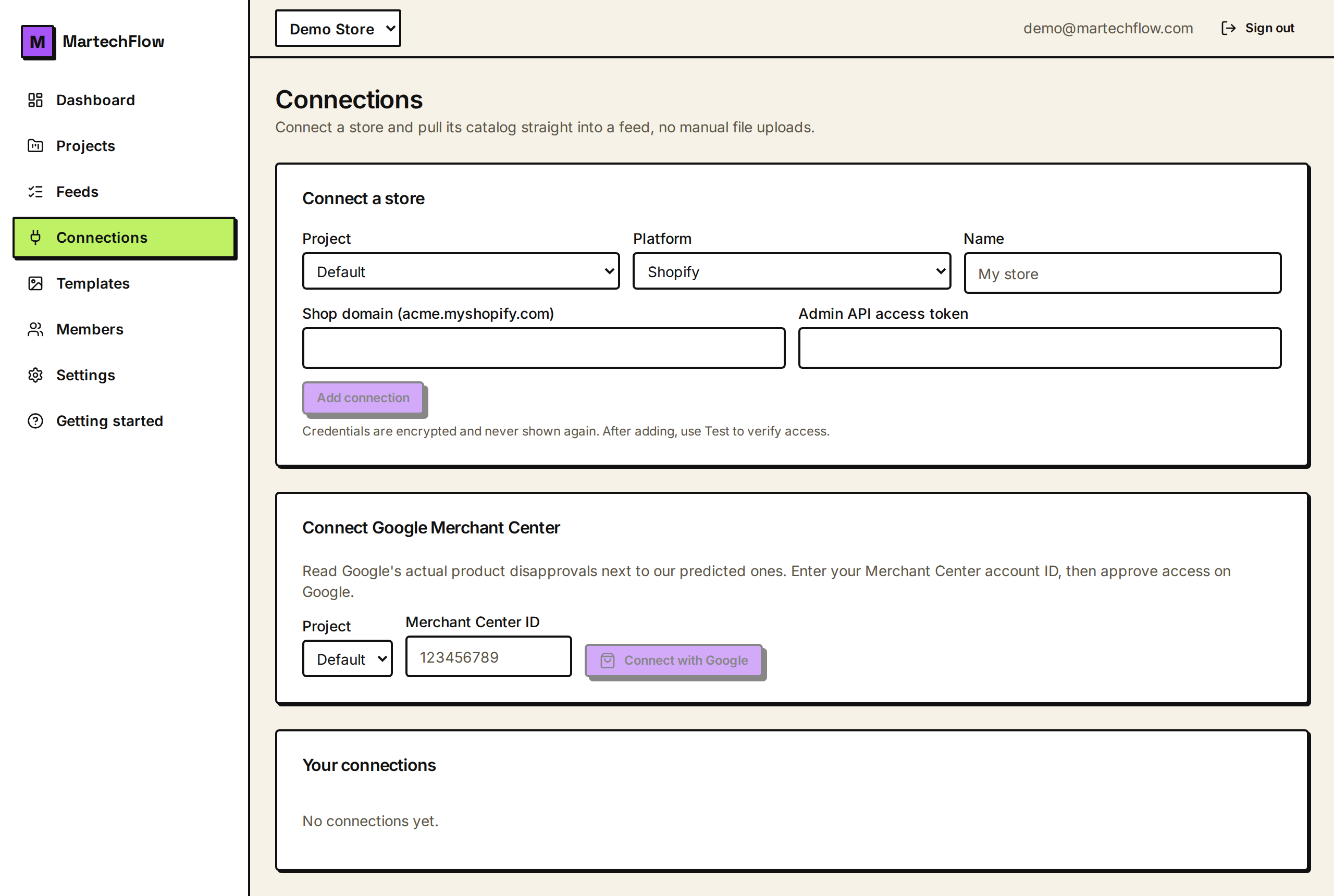
- 1Open Connections and find the Connect a store card.
- 2Choose the project, pick the platform (Shopify, WooCommerce, or BigCommerce), and give the connection a name like My store.
- 3Fill in the platform's fields (domain or store URL, plus the token or key and secret). Secret fields are hidden as you type.
- 4Click Add connection. Credentials are encrypted on save and never shown again.
- 5Click Test next to the new connection to confirm MartechFlow can reach your store and read your catalog.
Use the connection in a feed
After the connection tests cleanly, create a feed that uses it. In the New feed form choose Connected store as the source and select your store. From there you map fields and export exactly as with any other source. One connection can back several feeds, so you can connect your store once and reuse it.
Because a connection belongs to a project, a feed must use a connection in its own project. A connection-backed feed also cannot be moved to a different project later; if you need it elsewhere, recreate it in the target project.
Security of your store credentials
Your access token, or consumer key and secret, are stored as an encrypted envelope and are never returned in plain text once saved (semi-sensitive values like a WooCommerce consumer key are shown masked). MartechFlow sends the credential only to your validated store host and refuses to follow any redirect on an authenticated request, so a token cannot be tricked into leaking to another site.
If a connection ever shows an error status, open it and re-check the credential, then use Test again. A common cause is a token that was rotated or revoked in your store admin.