Supplemental data sources (lookup files)
Enrich your products with extra data from a second file. Match a lookup CSV, XML, or Google Sheet to your products by a shared key and pull its columns into your feed.
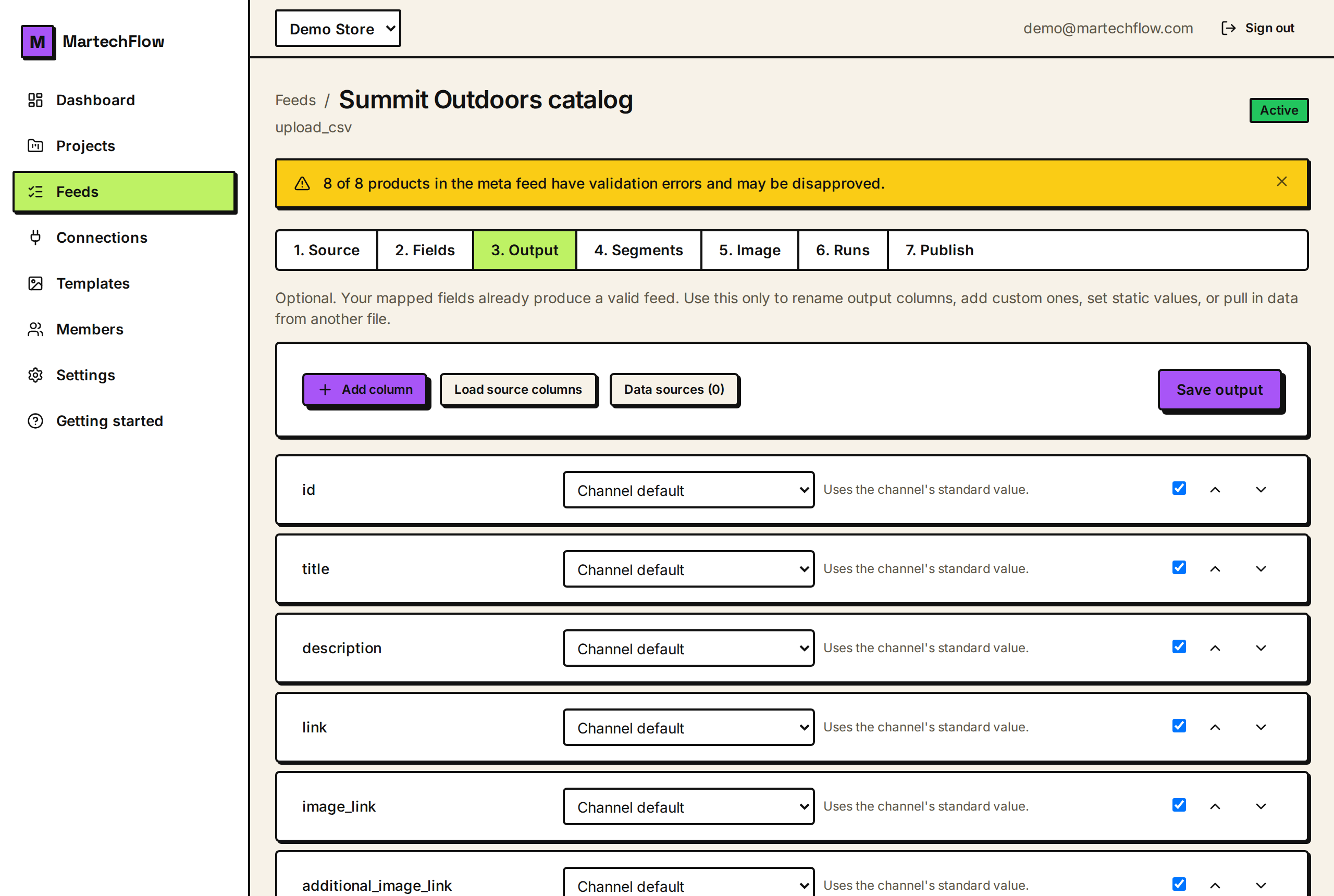
What a supplemental source is
A supplemental source is a second data source you match against your main catalog to add or override information. Think of it as a lookup table: your products on one side, and a list keyed by something they share, such as SKU or product ID, on the other. MartechFlow joins the two on that key so values from the lookup become available in your feed.
This is how you add data your store does not already include, or correct it in bulk, without editing your store. Common uses are filling in Google product categories, adding custom labels or margins for ad rules, supplying GTINs, or overriding titles for a specific channel.
What you can use as a lookup
Supplemental sources are URL-based so they can refresh on their own, just like a live feed.
- CSV URL: a comma-separated lookup table with a header row.
- XML URL: a repeating-element XML lookup, read the same way as an XML feed.
- Google Sheet (published CSV): a sheet published to the web as CSV, ideal for a list you maintain by hand.
- Each lookup needs one column you designate as the key, the value that matches a field on your products. Rows with an empty key are skipped.
Add and configure a lookup
Supplemental sources belong to a project (so they stay isolated per project) and are managed from the data-sources panel where you build a feed's output.
- 1Open the lookup-sources panel and choose Source, then enter the lookup's CSV, XML, or Google Sheet URL.
- 2Let MartechFlow preview the columns so you can see what the lookup contains.
- 3Pick the key column, the value each row is matched on (for example sku).
- 4Choose a duplicate policy in case the same key appears twice: keep the first occurrence or the last. This guarantees exactly one row per key.
- 5Save. MartechFlow fetches and stores the lookup, ready to reference from your output rules.
Use lookup values in your feed
Once a lookup is in place, your output rules can read from it instead of from the product row. You tell a rule which product field holds the key, then pull a column out of the matched lookup row. For example, match on sku and bring in a google_product_category column from the lookup, so every product gets the right category even though your store never stored one.
Lookups also power targeting: a rule can include or exclude products based on a value that lives only in the lookup. A source can only be referenced inside its own project, which keeps each project's data separate.
Keeping a lookup fresh
A supplemental source refreshes from its URL the same way a feed does, and you can trigger a refresh manually at any time. When a lookup changes, any exports that depend on it are rebuilt so your output reflects the new values. If a source is still referenced by a feed's output, MartechFlow prevents you from deleting it until you remove that reference, so a live export never loses the data it relies on.